 24/7 Customer
Support
24/7 Customer
Support Free Express Shipping 24/7 Customer
Support Free Express Shipping
Free Express Shipping 24/7 Customer
Support Free Express Shipping
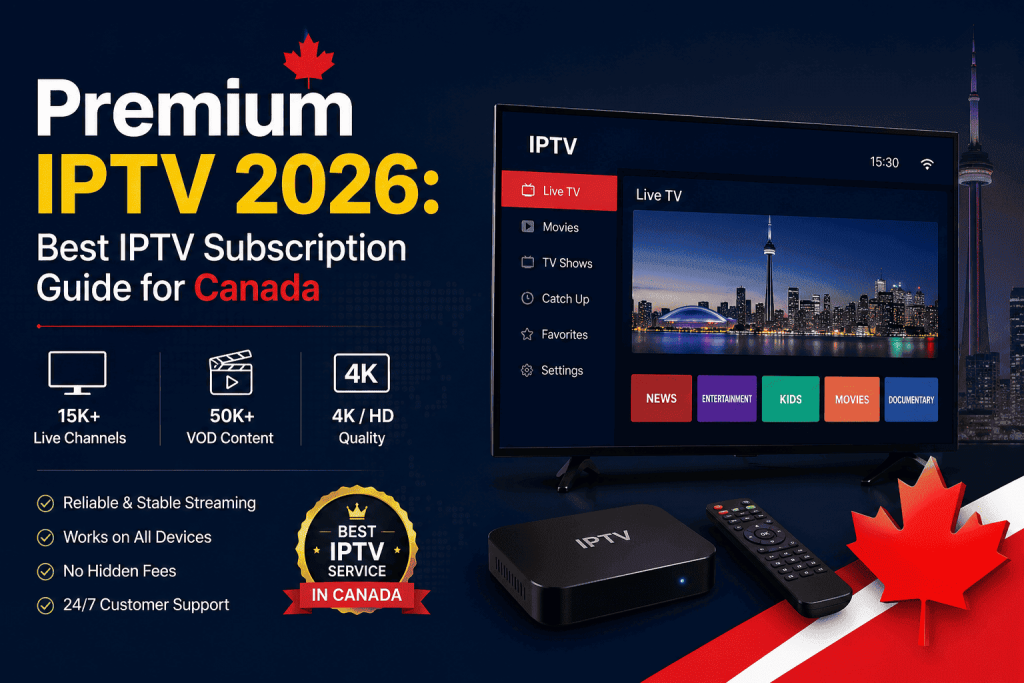
This guide explains everything you need to know about Premium IPTV in Canada (2026), including how it compares with free IPTV, cable TV, satellite services, OTT platforms, and low-cost IPTV providers. It also covers pricing options, device compatibility, setup methods, and the key factors to evaluate before choosing a subscription.
✔ Understand what makes Premium IPTV different from free and low-cost IPTV services.
✔ Compare IPTV with Cable TV, Satellite TV, and OTT streaming platforms.
✔ Learn about monthly, quarterly, half-year, and yearly subscription plans.
✔ Discover the most important features to check before buying an IPTV service.
✔ Review device compatibility for Firestick, Smart TVs, Android, iPhone, Apple TV, Windows, Mac, and MAG Box.
✔ Explore the advantages and limitations of Vois IPTV.
✔ Use the buyer decision matrix to select the subscription plan that best matches your needs.
By the end of this guide, you’ll have a clear understanding of how to choose a reliable, high-quality IPTV subscription that delivers stable streaming, broad content availability, and excellent long-term value.
Premium IPTV is a paid internet television service that delivers live channels, movies, and on-demand shows over your internet connection instead of a satellite dish or cable box. Think of it as replacing your old cable subscription with a streaming service that carries thousands of channels from around the world, all inside a single app on your Firestick, smart TV, or phone.
The word “premium” matters here. Anyone can find a free IPTV link online, but free streams almost always come with constant buffering, dead channels, and zero accountability when something breaks. A premium IPTV service runs on dedicated servers, gets updated daily, and comes with a real support team you can actually message when a channel goes down.
Under the hood, an IPTV provider licenses or aggregates channel feeds, encodes them for streaming, and distributes them through content delivery servers positioned close to major population centers. That server infrastructure is exactly what separates a smooth 4K stream from a pixelated mess during peak hours. Free services skip this investment entirely, which is why they collapse the moment too many people tune in at once.
It’s also worth understanding that IPTV as a delivery method is completely legitimate technology — the same underlying approach used by major telecom-backed TV services worldwide. What determines whether a specific provider is trustworthy isn’t the technology itself, but how transparently it operates, how it sources its content, and whether it invests in the infrastructure needed to actually support the number of subscribers it signs up.
| Factor | Free IPTV | Premium IPTV |
|---|---|---|
| Stream Stability | Frequent buffering | Anti-freeze, stable servers |
| Channel Count | Limited, inconsistent | 10,000–20,000+ channels |
| Video Quality | SD/HD, unreliable | HD/FHD/4K where available |
| Customer Support | None | Live chat / ticket support |
| Legal Safety | High risk, unverified sources | Licensed aggregation, safer sourcing |
| Updates | Rarely maintained | Daily server maintenance |
| Cost | “Free” but unreliable | Affordable monthly plans |
Price transparency is another underrated advantage. Cable and satellite bills routinely creep upward through hidden fees, equipment rental charges, and promotional rates that quietly expire after the first year. A well-run premium IPTV provider publishes clear, flat pricing per plan length, so you know exactly what you’re paying twelve months from now instead of discovering a surprise increase on your next statement.
Cable and satellite TV were built for a world where channels were scarce and bundles made sense. That world doesn’t really exist anymore. Today’s viewers want their content on their schedule, on the device they’re already holding, without paying for 150 channels they never watch. This is where premium IPTV pulls ahead of every legacy option, including most standalone OTT apps.
Traditional cable locks you into a two-year contract, a rented box, and installation fees before you’ve watched a single show. Satellite adds weather-related outages on top of that, since a heavy storm can knock your signal out right when you want it most. IPTV streaming sidesteps both problems because it only needs a stable internet connection, and it travels with you if you move apartments or even provinces.
| Feature | Premium IPTV | Cable TV | Satellite TV | OTT Platforms |
|---|---|---|---|---|
| Setup Time | Minutes | Days, technician visit | Days, dish install | Minutes |
| Contract Required | No | Usually yes | Usually yes | No |
| Channel Variety | Very high, global | Regional bundles | Regional bundles | App-specific only |
| Weather-Proof | Yes | Yes | No | Yes |
| Multi-Device Use | Yes | Limited | Limited | Depends on app |
| Monthly Cost | Low | High | High | Adds up with multiple apps |
| International Content | Extensive | Minimal | Some, at extra cost | Rare |
The multi-app problem is worth sitting with for a second. Most households now subscribe to three or four separate streaming apps just to cover event, movies, and international shows, and the combined bill often ends up higher than one solid IPTV Plan that covers all of it under a single login.
Not every provider offering “premium IPTV” actually delivers a premium experience. Here’s what should genuinely be included before you hand over your card details.
Event and blockbuster releases hit differently in 4K. A real premium provider supports 4K on channels and video-on-demand titles where the source feed allows it, not just as a marketing checkbox. You’ll want at least 25 Mbps of stable internet to enjoy it without stutter, and the difference shows up most on 55-inch-plus screens where standard definition looks noticeably soft.
Server uptime is the single biggest differentiator between providers, even though it’s the hardest thing to see before you subscribe. A provider running redundant servers across multiple locations can reroute traffic instantly if one node struggles, which is exactly why your stream stays smooth even during high-demand events like championship finals.
You shouldn’t wait 24 hours to start watching. Reputable providers activate your subscription within minutes of payment confirmation, sending your login credentials or app code straight to your inbox. This matters most when you’re subscribing right before a live event and simply don’t have a day to spare.
A strong channel lineup spans North American networks, UK and European broadcasters, and South Asian, Arabic, and other international feeds. This is especially valuable for diaspora households who want news and entertainment from home alongside mainstream US and Canadian programming, all inside one app instead of three.
Beyond live channels, a proper VOD library gives you thousands of movies and full TV series on demand, updated regularly with new releases. Look for providers that refresh their catalog weekly rather than letting it go stale, since that’s usually a sign the backend infrastructure is actively maintained.
Your subscription should follow you across Firestick, Android TV, smart TVs, phones, and tablets, ideally with connections for more than one screen at once. Families especially benefit from multi-device support since it means the kids can watch cartoons upstairs while the game plays downstairs on the same plan.
This is the feature that quietly separates good providers from mediocre ones. Anti-freeze technology automatically detects a stuttering stream and reroutes it through a backup server before you even notice the drop, which is exactly what stops your screen from locking up mid-match.
An Electronic Program Guide lets you browse what’s airing now and later, just like a traditional cable guide. It sounds small, but a well-organized EPG genuinely changes how usable a service feels day to day, especially for viewers who like planning their evening around a specific show or match.
Even the most stable service occasionally hits a hiccup, and how fast support responds tells you everything about a provider’s reliability. Live chat availability, quick ticket resolution, and setup help for whichever device you use are non-negotiable features, not a nice-to-have extra.
Pricing structures across the industry follow a fairly predictable pattern: monthly, quarterly, half-year, and yearly options, each with a lower effective monthly rate as the term gets longer. The right length depends less on budget and more on how confident you already are that a provider fits your household.
| Plan | Best For | Effective Monthly Cost | Commitment |
|---|---|---|---|
| Monthly | First-time buyers, testers | Highest per month | Low |
| Quarterly | Households ready to commit short-term | Moderate savings | Medium |
| Half-Year | Event fans covering a full season | Good savings | Medium-High |
| Yearly | Long-term households, best value seekers | Lowest per month | High |
If this is your first time trying an IPTV subscription, start monthly or take a free trial first, since it lets you stress-test the service during your household’s actual peak viewing hours before committing further. Quarterly plans suit viewers who’ve already tried a provider through a friend’s recommendation and want a short runway to confirm it holds up. Half-year plans make the most sense for event fans who want uninterrupted coverage through an entire season without renewal reminders piling up. Yearly plans are for households that have already done their homework, know their internet can handle it, and want the lowest possible cost per month. Full pricing tiers and channel bundles are listed on the IPTV Plans page.
Canadian streamers face a specific challenge that American viewers rarely deal with: geography. Between Surrey, Brampton, Calgary, Edmonton, Toronto, and Montreal, internet infrastructure varies a lot, and a provider that runs smoothly in one region can behave differently in another if its servers aren’t properly distributed.
For dependable IPTV Canada streaming, you want at least 15–20 Mbps of consistent download speed for HD content, and closer to 40–50 Mbps if multiple devices in the house are streaming 4K at the same time. Fiber connections from major Canadian ISPs handle this comfortably, while rural or satellite-based internet may need a lower-bitrate stream setting to stay stable.
Device compatibility also matters more in Canadian households than people expect, since many families run a mix of Firestick in the living room, an older Samsung smart TV in the basement, and phones for on-the-go viewing during commutes. A properly built IPTV app should install cleanly across all of these without forcing you to buy new hardware.
Local viewing habits lean heavily toward two things: live event (hockey, cricket, and soccer especially) and South Asian entertainment channels, given Canada’s large Punjabi, Hindi, and Urdu-speaking communities in cities like Surrey and Brampton. A provider that genuinely understands the Canadian market will carry strong Desi channel packages alongside mainstream Canadian and US networks, rather than treating international content as an afterthought.
Billing currency and payment flexibility matter too. Canadian subscribers generally prefer providers that clearly display CAD-friendly pricing and accept familiar payment methods, since currency conversion confusion at checkout is a common reason buyers abandon a purchase midway.
Time zone spread across the country also affects when a household’s peak streaming hours actually fall. A family in Vancouver watching prime-time content is streaming three hours behind a household in Toronto, which means a provider’s servers need enough headroom to comfortably handle overlapping demand from coast to coast rather than a single regional spike. This is another reason distributed server infrastructure matters more for Canadian subscribers than it might for a smaller, single-time-zone market.
Multiple profiles, parental-friendly channel packs, and kid-safe VOD sections make IPTV a natural fit for busy households juggling different viewing tastes.
Wall-to-wall access to hockey, football, cricket, and soccer without chasing five different subscriptions during playoff season.
Deep, regularly refreshed VOD libraries beat waiting weeks for a new release to hit a single streaming app.
Access to news and entertainment from home countries alongside North American programming, all in one login.
Stream the same subscription from a hotel room or a relative’s house anywhere with an internet connection.
Budget-friendly entertainment that beats paying for cable in a shared apartment or dorm.
Simple remote-based navigation and familiar channel lineups without needing to learn multiple separate apps.
Background news and entertainment across multiple devices without juggling several paid app subscriptions.
Most buyers make their decision based on price alone, then regret it two weeks later when the stream starts freezing. A better approach is running every provider you’re considering through the same checklist before you commit any money.
| Checkpoint | Why It Matters |
|---|---|
| Stability | Determines whether streams hold up during peak hours and live events. |
| Channel Count & Variety | Confirms it actually covers your household’s viewing needs. |
| Server Infrastructure | Multiple regional servers reduce buffering and downtime. |
| Customer Support | Fast response when a channel drops or setup goes wrong. |
| Device Compatibility | Should work across Firestick, Smart TV, Android, iPhone, tablets, and desktop. |
| Trial Availability | Lets you test real performance before paying for a subscription. |
| Refund Policy | Signals confidence in the service and helps protect your payment. |
| Regular Updates | Keeps channel feeds, apps, and VOD libraries up to date. |
There’s a meaningful difference between “affordable” and “cheap.” Affordable premium providers price competitively while still investing in servers and support. Cheap providers cut corners in ways that only become obvious after you’ve already paid, usually right when you need the service most.
| Factor | Premium Provider | Cheap Provider |
|---|---|---|
| Stream Quality | Consistent HD/Full HD/4K where available | Frequent quality drops |
| Buffering | Rare, anti-freeze technology | Frequent, especially during peak hours |
| Customer Support | Responsive, trained support team | Slow or nonexistent |
| Streaming Consistency | Stable across multiple devices | Inconsistent, device-dependent |
| Price | Fair, mid-range pricing | Very low, often unsustainable |
| Security | Encrypted, safer payment handling | Often unclear or risky |
| Updates | Frequent server maintenance | Rarely maintained |
| Long-Term Reliability | Built for renewals and long-term service | Providers may disappear overnight |
Setup is one of the most overstated “problems” in IPTV Setup, since most devices take under five minutes once you know the path. Here’s the quick rundown by device.
| Device | Setup Method | Typical Time |
|---|---|---|
| Firestick | Sideload app via Downloader or install from the app store. | 3–5 minutes |
| Android TV | Direct app store install or APK sideload. | 2–4 minutes |
| Smart TV (Samsung/LG) | Native app or screen mirroring from a mobile device. | 3–6 minutes |
| Windows PC | Desktop player application or browser-based portal. | 3–5 minutes |
| iPhone / iPad | Install a compatible App Store player and enter your credentials. | 2–3 minutes |
| Mac | Compatible desktop player or browser portal. | 3–5 minutes |
| Apple TV | Install the app from the App Store and sign in with provider details. | 2–4 minutes |
| MAG Box | Configure the Portal URL and MAC address. | 5–8 minutes |
The general pattern across every device is the same: install the player app, enter the login details or M3U/portal URL your provider sends you, and the channel list loads automatically. A provider with clear setup guides for each device saves you from the guesswork that otherwise turns a five-minute job into an hour of frustration. Keep your login credentials saved somewhere safe, since you’ll need them again any time you set up a new device or reinstall the app after a software update.
Usually an internet speed or Wi-Fi congestion issue. Switch to a 5GHz connection or wired Ethernet, and close other bandwidth-heavy apps running in the background.
Clear the app cache from device settings, restart the Firestick, and reinstall if the issue persists after a cache clear.
Try an alternate server if your provider offers one, since a single feed occasionally goes down while backups stay online.
Renewals can take a few minutes to sync. If credentials still fail after 15 minutes, contact support with your order ID.
Lower the stream resolution setting inside the app to match your actual internet speed, especially on shared home networks.
Test during peak hours, not at 3am. Any provider looks great when nobody else is streaming, so always run your trial between 6–10pm when demand is highest. Check for a real refund or trial policy in writing rather than a verbal promise from a reseller. Ask specifically about server locations relevant to Canada or the US, since a provider without regional infrastructure will always underperform for North American viewers regardless of what their marketing claims. Finally, read recent reviews rather than the ones sitting at the top of a search result, since provider quality can shift within months as server contracts change. If a deal seems drastically cheaper than every competitor, treat that as a warning sign rather than a bargain.
It also helps to test the exact devices your household actually uses rather than relying on a friend’s experience with a different setup. A provider that runs perfectly on an iPhone can behave completely differently on an older smart TV with limited processing power, so run your trial period across every screen you plan to watch on before making a final decision. Pay attention to how quickly the app resumes after switching channels, since a laggy interface is often an early warning sign of deeper server issues down the line.
Vois IPTV was built around the exact frustrations described throughout this guide: unstable free streams, unresponsive support, and providers that quietly deteriorate after the first billing cycle. The service focuses on a handful of fundamentals rather than chasing every marketing buzzword.
Fast activation means your account is ready within minutes of signup, not the next business day. Stable servers with regional distribution keep streams smooth for both Canadian and US households, including during high-traffic sporting events. High uptime is treated as the core product, not a bonus feature, backed by real infrastructure investment rather than a number pulled from a template. Responsive support means a real person answers setup questions across Firestick, Android, smart TV, and mobile, instead of leaving you to troubleshoot alone. Easy setup guides exist for every major device covered earlier in this article, and the overall experience is designed to feel like a premium product from the first login onward.
Renewals are kept simple too, with reminders sent ahead of expiry so a household never loses access mid-season by accident. Combined with transparent pricing across monthly, quarterly, half-year, and yearly tiers, the goal is straightforward: give Canadian and US viewers one dependable place to watch everything they actually care about, without the constant second-guessing that comes with cheaper, unreliable alternatives.
| Pros | Cons |
|---|---|
| Wide North American & international channel selection | Live event demand can increase server load during major finals. |
| Anti-freeze technology helps deliver smoother live streaming. | New users may need a few minutes to become familiar with the EPG interface. |
| Supports multiple devices, including Firestick, Smart TV, Android, iOS, Windows, and Mac. | Best value is typically available with longer-term subscription plans. |
| Responsive customer support for setup and technical assistance. | — |
| Free trial available before purchasing a subscription. | — |
| If You Are… | Recommended Plan |
|---|---|
| New to IPTV | Start with the IPTV Free Trial |
| Confident after testing | Choose the Monthly or Quarterly Plan |
| A dedicated event household | Select the Half-Year Plan |
| Looking for the best long-term value | Choose the Yearly Plan |
Myth vs Fact: Premium IPTV
| Myth | Fact |
| “All IPTV is illegal” | Legitimacy depends on the provider’s content sourcing and licensing practices, not the technology itself |
| “Free IPTV is just as good” | Free services lack server infrastructure and support, leading to constant instability |
| “IPTV needs special hardware” | Most services run on devices you already own, like a Firestick or smart TV |
| “More channels always means better service” | Server stability and support quality matter far more than raw channel count |
Streaming Quality Comparison
| Provider Type | Average Bitrate Stability | 4K Availability |
| Free IPTV | Low, frequent drops | Rare |
| Cheap Providers | Inconsistent | Limited |
| Vois IPTV (Premium) | High, anti-freeze protected | Available on supported content |
Premium IPTV is a paid internet television service that streams live channels and on-demand content through an app, using dedicated servers for stability instead of relying on unverified free sources that buffer constantly and disappear without warning.
Legality depends heavily on how a provider sources its content. Reputable providers focus on licensed or properly aggregated feeds. Always review a provider’s terms and use common sense when a deal seems far too cheap to be sustainable.
For smooth HD streaming, 15–20 Mbps is generally enough. If multiple devices stream 4K content simultaneously, aim for 40–50 Mbps to avoid buffering during peak household usage hours.
Yes, most premium plans support Firestick, Android TV, smart TVs, phones, tablets, and computers, often with the ability to stream on more than one screen at the same time depending on your plan.
First-time users should start with a free trial or monthly plan to test real-world performance. Once satisfied, quarterly, half-year, or yearly plans offer better value per month for long-term households.
Yes, Firestick is one of the most popular devices for IPTV. Setup typically takes three to five minutes through a sideloaded app or direct app store install, depending on the provider’s instructions.
Buffering usually comes from unstable Wi-Fi, network congestion, or a weak provider server. Switching to a wired connection and choosing a provider with anti-freeze technology solves most buffering issues.
Coverage typically includes North American event and entertainment networks, news channels, and strong international packages, including South Asian, Arabic, and European content depending on the provider’s channel lineup.
Most premium providers, including Vois IPTV, offer a short free trial so you can test stream stability, channel selection, and device compatibility before committing to a paid plan.
Install the provider’s native app if available, or use screen mirroring from your phone. After entering your login details or portal URL, the full channel list loads automatically within minutes.
OTT platforms like standalone streaming apps typically offer one content library each, while IPTV aggregates live channels and on-demand content from many sources into a single unified app and login.
Most providers don’t lock you into long contracts, letting your subscription simply expire at the end of your billing term. Always confirm the specific cancellation and refund policy before subscribing.
Yes, on channels and content where the original source feed is available in 4K, provided your internet connection and device both support that resolution without dropping frames.
Yes, premium IPTV typically covers hockey, football, cricket, and soccer extensively, making it a strong alternative to subscribing separately to multiple regional event networks throughout the season.
Check for server stability, real customer support, device compatibility, a trial period, and a transparent refund policy. Providers that hide these details usually aren’t built for long-term reliability.
Premium IPTV has genuinely closed the gap between old-school cable convenience and modern streaming flexibility, without forcing you to juggle five separate apps or sign a two-year contract. The difference between a good experience and a frustrating one almost always comes down to server infrastructure and support, not the price tag alone.
If you’re ready to see what a properly built IPTV service feels like, the smartest first step is testing it yourself rather than taking any provider’s word for it. Start with a short IPTV Free Trial and judge the stream quality during your own household’s busiest viewing hours.
Whichever provider you ultimately choose, the fundamentals covered in this guide stay the same: check server stability before checking price, confirm real support exists before you need it, and never commit to a long-term plan without testing a free trial first. Households that follow this order tend to land on a service they actually keep for years, instead of switching providers every few months chasing whatever looks cheapest that week.
